
FBR Digital Invoice: A Complete 2025 Guide for Businesses in Pakistan (with Isolate ERP Integration)
What is FBR Digital Invoice—and Why It Matters in 2025
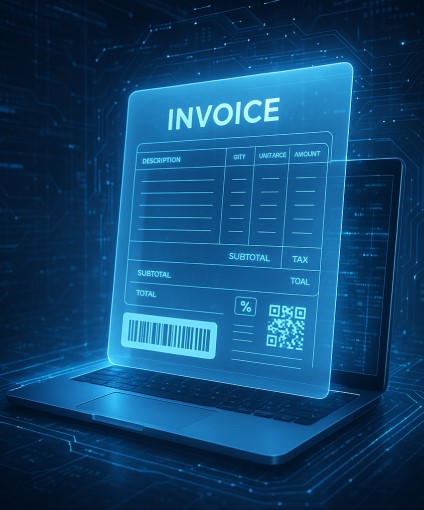
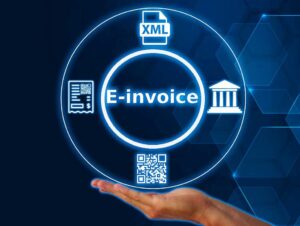
“FBR Digital Invoice” is Pakistan’s move to standardize and digitize sales invoicing for better tax transparency and real-time reporting. For registered businesses, that means issuing e-invoices in a defined digital format, validating them through FBR’s systems (often via API), and embedding a QR/IRN (Invoice Reference Number) so invoices are verifiable and compliant.
If you’re a retailer, distributor, manufacturer, or service provider, adopting FBR Digital Invoice is no longer a future plan—it’s an immediate compliance and growth opportunity. With the right ERP, you can automate invoice generation, validation, archiving, and reporting end-to-end. That’s where Isolate ERP stands out: it’s built to streamline FBR e-invoicing from day one without disrupting your daily operations.
Key Benefits of FBR Digital Invoice for Your Business
- Real-Time Compliance: Submit invoices to FBR in near real time; reduce audit risk.
- Fewer Manual Errors: Standardized digital fields minimize mistakes and rework.
- Faster Reconciliations: Finance teams close quicker with verified, indexed invoices.
- Customer Trust: QR/IRN on invoices improves transparency and credibility.
- Growth-Ready: Once automated, e-invoicing scales smoothly across branches and channels.
Core Requirements (Plain English)
While exact details depend on FBR’s latest notifications, most businesses can expect to handle:
- Structured invoice data (customer, items, taxes, totals).
- Submission to FBR via API or approved channel for validation.
- Receiving an IRN/validation response, then embedding QR/IRN on the customer invoice.
- Secure storage/archiving of the source invoice and the FBR response for the statutory period.
- Exception handling (e.g., failed validation, resubmission, cancellation, credit/debit notes).
Pro tip: Avoid hard-coding assumptions. Use an ERP that abstracts API changes and validation logic so you remain compliant without code churn.
How Isolate ERP Automates FBR Digital Invoicing (End-to-End)

Isolate ERP is designed to make compliance effortless:
1) e-Invoice Creation (Sales, POS, Returns)
- Create invoices from Sales Orders, POS, or Service Jobs.
- Auto-calculate GST/VAT, discounts, freight, and surcharges.
- Multi-unit (UOM), multi-warehouse (Godown/Bin/Rack) handling for inventory accuracy.
2) Real-Time Validation with FBR
- One-click submit to FBR’s e-invoicing endpoint (API).
- Automatic request signing, secure transmission, and response parsing.
- Immediate retrieval of IRN (Invoice Reference Number) and QR data.
3) QR/IRN on Customer Invoice
- Embed the QR code and IRN in your branded invoice template (PDF/print).
- Validate authenticity on demand—perfect for audits and customer confidence.
4) Exception Handling & Retry Logic
- If validation fails, Isolate ERP captures the error, flags the invoice, and supports guided correction.
- Retry and versioning ensure the final stored copy is the validated one.
5) Archiving, Search & Audit Trail
- Store the JSON payloads and FBR responses with airtight audit trails.
- Lightning-fast search by IRN, customer, invoice no., date range, branch, project.
- Role-based access so teams see only what they should.
6) Analytics & Finance Sync
- All validated invoices flow into GL, receivables, and tax reports.
- Dashboards for compliance status, submission rates, exceptions, and aging.
Implementation Roadmap: From Zero to FBR-Ready
1 — Readiness & Data Hygiene
- Confirm registrations (business, POS if applicable) and tax profiles.
- Standardize customer master, tax codes, SKU master, and UOMs.
- Clean historical data to avoid mismatches.
2 — ERP Configuration
- Activate Isolate ERP’s e-invoicing module.
- Map invoice fields to the FBR schema (we provide pre-built mappings).
- Configure tax rules, number series, and user roles.
3 — Controlled Pilot
- Run sandbox submissions (if available) or simulate locally.
- Validate formats, tax totals, and exception handling.
- Train your finance, sales, and store teams.
4 — Go-Live & Monitor
- Switch to live submission; embed QR/IRN on all prints/PDFs.
- Monitor dashboards; close exceptions quickly.
- Schedule compliance health checks every month.
Features in Isolate ERP That Make Compliance Easier
- User-Based Project/Branch Controls: Enforce who can issue invoices for which branch/project.
- Stock Check (Real-Time): Prevent negative stock and incorrect quantities pre-invoice.
- Parallel UOM: Sell in cartons, stock in pieces—without losing accuracy.
- Godown/Bin/Rack Tracking: Traceability from warehouse to shelf.
- Financial Period Controls: Close/lock periods to protect posted e-invoices.
- Decimal Precision Controls: Configure decimals for high-value or fractional items.
- Bulk Upload APIs: For marketplaces or high-volume POS environments.
Common Pitfalls (and How to Avoid Them)
- Mismatched Tax Codes:
Fix: Use a single source of truth for tax rules in Isolate ERP; block ad-hoc overrides. - Duplicate/Out-of-Sequence Invoice Numbers:
Fix: Enforce controlled number series per branch/channel. - Unreconciled Returns/Credit Notes:
Fix: Always pass credit/debit notes through the same e-invoicing workflow; link to the original IRN. - Weak Archiving:
Fix: Archive source invoice, JSON, FBR response, and print copy with audit trail. - Manual Re-Entry:
Fix: Integrate POS/marketplace APIs with Isolate ERP to eliminate double entry.
Who Should Prioritize FBR Digital Invoice Now?
- Retail chains & FMCG distribution (high invoice volumes).
- E-commerce & marketplace sellers (multi-channel complexity).
- Manufacturers & importers (tax scrutiny and chain-of-supply documentation).
- Service businesses issuing tax invoices (consulting, maintenance, logistics).
If your invoicing is frequent, cross-branch, or multi-channel, automated e-invoicing is the single biggest compliance time-saver you can implement this quarter.
Why Choose Isolate ERP for FBR Digital Invoice
- Pakistan-ready: Purpose-built for local tax workflows.
- Fast deployment: Guided setup and pre-mapped fields.
- Scalable: From one outlet to nationwide operations.
- Secure: Role-based authorization, logs, and audit trails.
- Support: Local implementation, training, and ongoing updates.
Call to Action: Ready to go live with FBR Digital Invoice?
Book a demo with Isolate ERP to see real-time submission, QR/IRN printing, and automated archiving in action.
AEO (Answer-Engine-Optimized) FAQs – Short, Direct Answers
Q1. What is an FBR Digital Invoice?
It’s a standardized e-invoice that your business generates and validates through FBR systems. After validation, the invoice carries an IRN and QR code for authenticity.
Q2. Who needs to issue FBR Digital Invoices?
Registered businesses that fall under FBR’s e-invoicing scope (varying by industry/size). Check your registration and current FBR notifications.
Q3. How does Isolate ERP help with FBR e-invoicing?
Isolate ERP automates invoice creation, FBR submission, IRN/QR embedding, error handling, and archiving, all within a single workflow.
Q4. Do I need to change my existing invoice format?
Your printed/PDF layout can stay branded, but it must include mandatory data fields and the QR/IRN returned from FBR.
Q5. What if FBR validation fails?
Isolate ERP shows the error reason, allows a quick fix, and supports secure resubmission. Failed invoices aren’t finalized until validated.
Q6. Is internet required for e-invoicing?
Yes, to submit and receive validation. If connectivity drops, Isolate ERP can queue submissions and send when back online.
Q7. Can I cancel or amend an e-invoice?
You can issue credit/debit notes or follow FBR’s permitted flows. Isolate ERP maintains the linkage to the original IRN for audit clarity.
Q8. How long should I keep e-invoices?
Keep the source invoice, JSON payload, and FBR response for the legally required retention period (configure archiving policies in Isolate ERP).
Q9. Does FBR Digital Invoice apply to POS?
If you are under the integrated POS regime or specified categories, your POS invoices may also need to flow through the e-invoicing pipeline. Isolate ERP supports POS integration.
Q10. How fast can we go live?
Most businesses can go live in phases within weeks—starting with a pilot, then full rollout. Isolate ERP includes templates and guided setup.
Q11. What about multiple branches or warehouses?
Isolate ERP supports branch/project permissions, Godown/Bin/Rack mapping, and centralized e-invoice submission—ideal for multi-site operations.
Q12. Will e-invoicing slow down my billing?
No—once configured, submissions and validation are automated. Users typically experience faster, more reliable billing with fewer errors.
Q13. How do we ensure correct taxes on every invoice?
Set your tax rules and product tax mappings in Isolate ERP; validations and totals are auto-calculated to match FBR schema requirements.
Q14. Can we bulk-upload invoices?
Yes. For marketplaces or legacy systems, use Isolate ERP’s bulk APIs to submit multiple invoices efficiently.
Q15. What training do staff need?
Minimal. Users create invoices as usual; the FBR submission is one click. Finance/admin teams learn the exception dashboard and reports.
Q16. Will my existing numbering change?
You’ll keep a controlled series. After validation, the invoice also carries an IRN, which is separate from your internal number.
Q17. Can customers verify my invoice?
Yes—scan the QR to view core invoice details. This builds trust and reduces disputes.
Q18. Does Isolate ERP handle returns and exchanges?
Yes—returns trigger credit notes and inventory movements; if required, they’re submitted through e-invoicing with proper linkage.
Q19. What happens during system downtime?
Isolate ERP queues submissions and retries automatically. Admins get alerts on exceptions.
Q20. How do we start?
Book a discovery call. We’ll check readiness, map your data, configure Isolate ERP, and guide a pilot-to-go-live rollout.
Final CTA
Transform compliance into a competitive edge.
Implement FBR Digital Invoice with Isolate ERP to automate validation, embed QR/IRN, and archive securely—without slowing your sales.
Start Your FBR Digital Invoice Integration with Isolate ERP Today
Ready to integrate FBR Digital Invoice into your business? Isolate ERP offers seamless integration solutions to help you automate tax filing and ensure compliance.
📧 Email: info@isolaterp.com
🌐 Website: https://www.isolaterp.com
➡️ Book a demo at Isolate ERP to see real workflows in action.

